
SAT 69-B List: Validate Suppliers Automatically from Your ERP
Mexico's SAT published two final Article 69-B lists covering 92 taxpayers. We explain how to automatically cross-check your suppliers' RFCs at onboarding, before every payment, and against invoices already received, with tax team review.

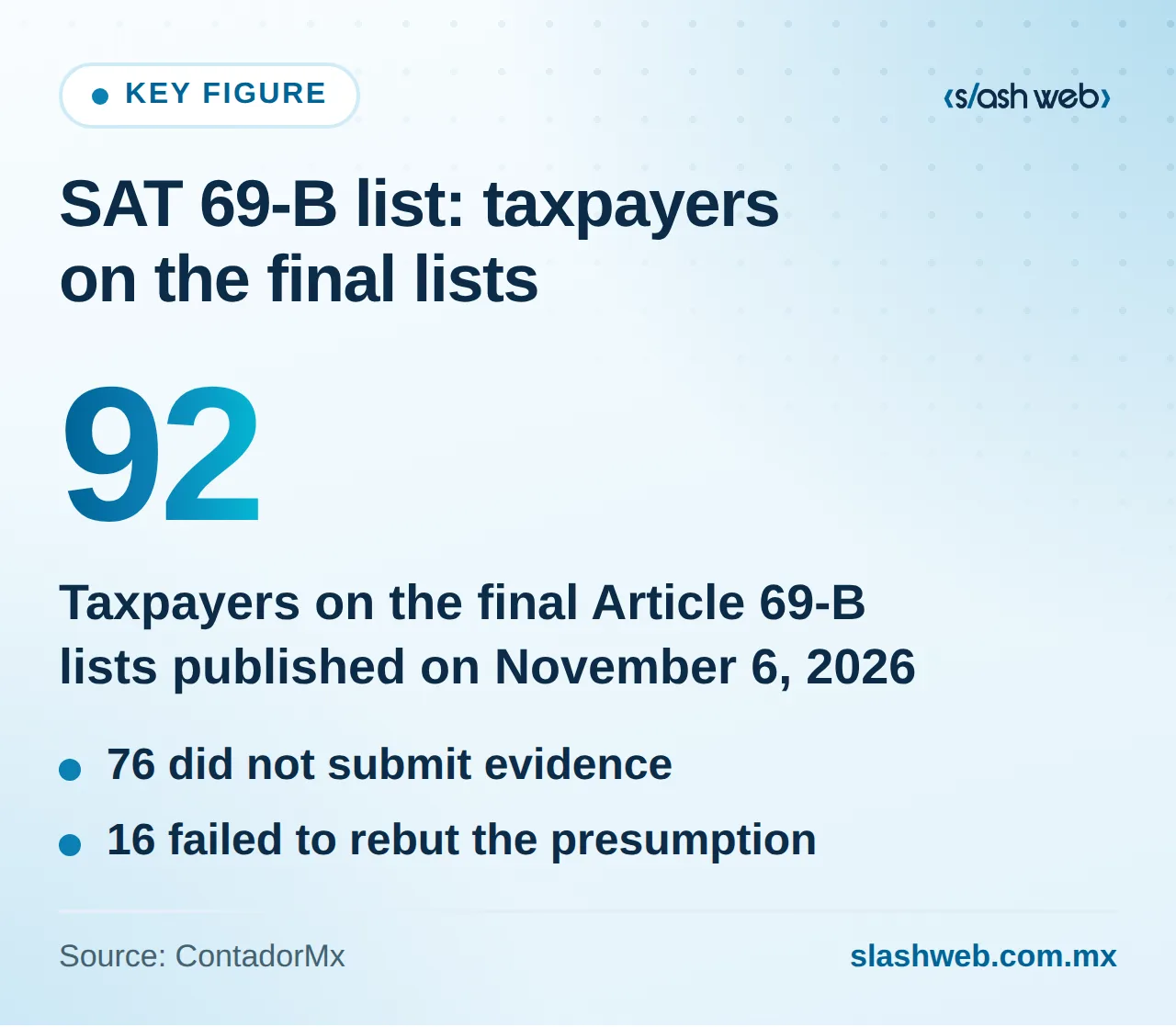
On November 6, 2026, the SAT (Mexico's tax authority) published two final lists under Article 69-B of the Federal Tax Code (CFF) in the Diario Oficial de la Federación, covering 92 taxpayers, according to ContadorMx. Of these, 76 did not submit evidence and 16 failed to rebut the presumption. If your company received invoices from any of them, it may lose those deductions and will have to prove that the transaction actually took place. That's why checking the SAT 69-B list can't depend on someone remembering to look up RFCs one by one.
That same day, according to the same source, the SAT published a notice under Article 49 Bis, Section X, regarding invoices considered false from one taxpayer. Because these lists are updated frequently, manual review is a never-ending task that tends to fail precisely when pressure is highest: month-end closes, payment runs, or urgent supplier onboarding.
The practical solution is to automatically cross-check the RFCs in your supplier master file against the lists at three points, with alerts, payment holds, and an evidence file ready for your tax team. Below you'll see how to do it and what to ask of your ERP or a custom build.
What the SAT published and what your company is risking
Article 69-B identifies taxpayers who, in the authority's view, issue invoices for transactions that never existed (known as EFOS). When a supplier lands on the final list, the problem shifts to whoever bought from them:
- Deductions at risk. You may lose the deduction for expenses backed by that supplier's invoices.
- Burden of proof. You would have to prove with documents that the goods or services were actually delivered.
- Limited time. Article 69-B itself sets a deadline for those who received the invoices to substantiate the transaction or correct their situation. Confirm with your accountant what that deadline is and how it's counted in your case.
Before acting on a specific supplier, verify their status in the official DOF publication and on the SAT portal. In addition, Mexico's Ministry of Finance submitted to Congress a proposal of changes to the CFF for 2027 with new anti-EFOS measures and stronger enforcement, according to Carbajal Contadores. Treat it as a proposal under discussion until your advisor confirms what took effect; the practical takeaway doesn't change: it pays to get the process in order now.
The three points to validate suppliers against the SAT blacklist
Validating once isn't enough: a supplier that was clean when you onboarded them can show up months later. That's why the cross-check must happen at three points in the process.
1. At supplier onboarding
The RFC is checked against the list before the supplier is activated in the ERP. If it appears as final, onboarding doesn't proceed; if it appears as presumed, an alert goes to the tax team to decide. In both cases, the date and version of the list consulted are saved.
2. Before every payment
Each payment run is filtered against the most recent list. Payments to listed RFCs are held and only released after a mandatory review by the tax team, which records its decision. Treasury should not be able to skip that step.
3. Retroactively, on invoices already received
With each SAT update, the system compares the full list against the CFDIs received in the fiscal years your accountant defines. The result is a report with invoices, amounts, dates, and the status of the evidence file for each transaction.
How to automate accounts payable against the SAT 69-B list
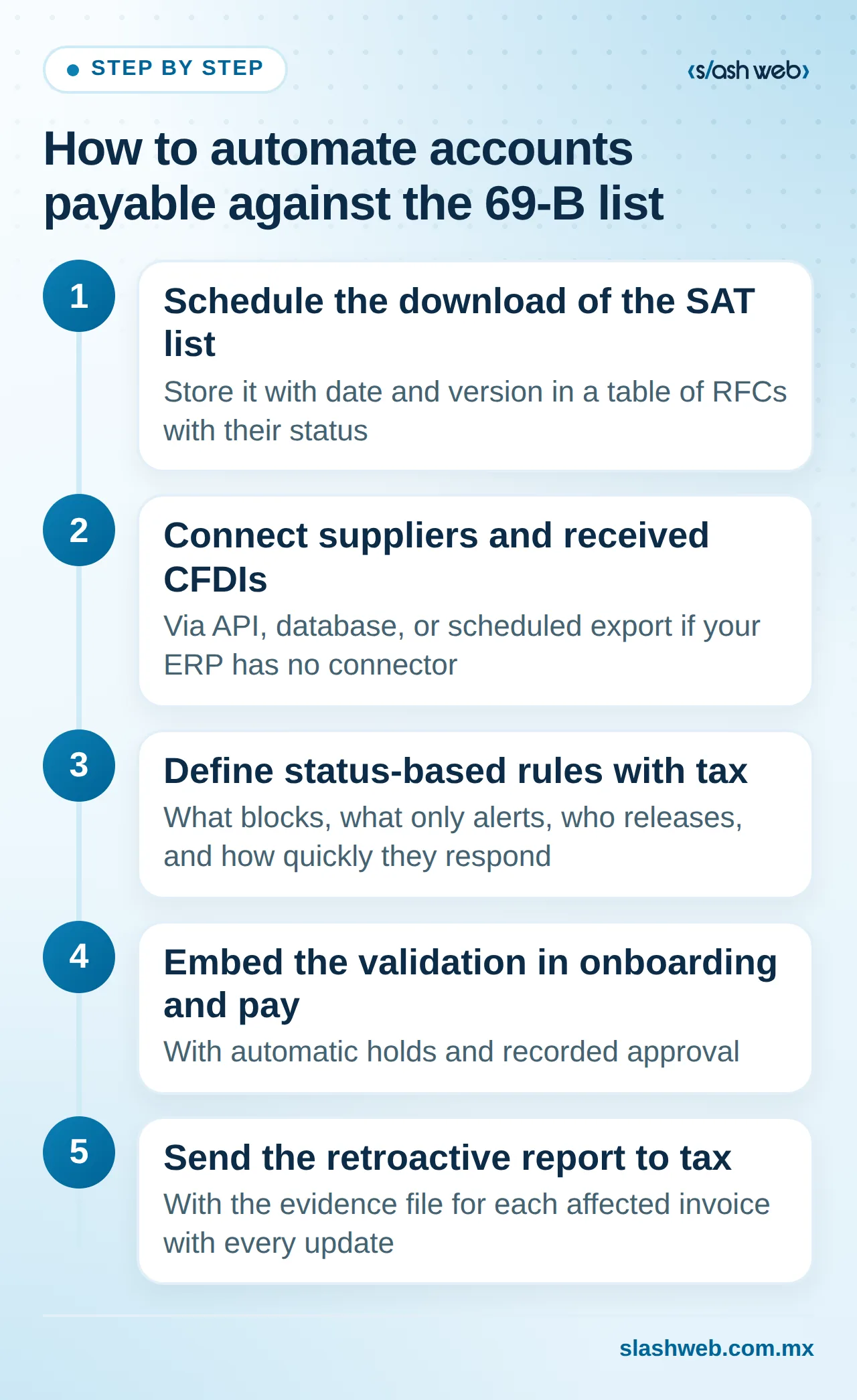
This is the sequence we recommend to automate accounts payable without relying on manual reviews:
- Schedule the download of the SAT list every time it's updated and store it with date and version. Result: a table of RFCs with their status that any system can query.
- Connect the supplier master file and the repository of received CFDIs via API, database, or scheduled export if your ERP has no connector. Result: an RFC-based cross-check with no manual data entry.
- Define status-based rules with your tax team: what blocks, what only alerts, who releases, and how quickly they respond. Result: a documented decision matrix.
- Embed the validation in the onboarding flow and the payment run, with automatic holds and recorded approval. Result: no payment to a listed RFC goes out without review.
- Send the retroactive report and the evidence file for each affected invoice to the tax team with every update. Result: decisions made with complete evidence in one place.
This is the kind of workflow we build in AI process automation projects: clear rules, an audit log, and people making the call at critical points.
Illustrative example
Hypothetical figures, only to show how it works. A distributor with 300 active suppliers runs payments twice a week. Previously, an analyst checked the list once a month and only against new suppliers. With the automatic cross-check, when an update is published the system detects that a maintenance supplier moved to final status, holds two invoices totaling $185,000 MXN scheduled for Thursday, and, in the retroactive review, finds five invoices paid during the year totaling $410,000 MXN. The tax team receives all seven evidence files organized and decides with their accountant how to proceed within the applicable deadline.
Substantiation file: AI organizes, your tax team decides
If a supplier appears on the list, your defense is the evidence that the transaction happened. That file comes together much faster if it's built from day one rather than when the alert arrives.
This is where AI integration helps with well-defined tasks: it classifies documents, links them to the CFDI by UUID, amount, and date, flags gaps (for example, an invoice with no deliverable), and drafts a summary of each transaction. What AI does not do is decide whether an invoice is deductible, whether to suspend a supplier, or what strategy to follow with the SAT. Those decisions belong to the tax team and their accountant.
Evidence file checklist per transaction:
- Contract or purchase order with scope, price, and dates
- Deliverables: reports, photos, delivery receipts, logs, or acceptance emails
- CFDI in XML and PDF linked to the purchase order
- Proof of payment matching the amount and payee
- Dated record of the 69-B list check
- AI-generated summary validated by someone on the tax team
What to ask of your ERP or a custom build
Many ERPs don't include this validation natively. You don't need to replace yours: you can ask your vendor for these capabilities or build an intermediate layer with custom software development.
| Capability | What to ask for | If your ERP doesn't have it |
|---|---|---|
| Updated list | Scheduled, versioned download | External service that exposes it via API |
| Onboarding validation | Block by listed RFC | Onboarding form with pre-validation |
| Payment holds | Release by tax team only | Filter on the payment run before it reaches the bank |
| Retroactive review | Cross-check against historical CFDIs | Read access to the XML repository |
| Audit log | Who decided what, and when | Custom auditable log |
Common mistakes and how to avoid them
- Validating only at onboarding. Repeat the cross-check before every payment and with every SAT update.
- Matching by company name. Use the normalized RFC; names change and get spelled differently.
- Blocking without an owner. Assign who reviews and by when, or legitimate payments get stuck.
- Not saving the check. Record the date and version of the list; it's also evidence of due diligence.
- Letting AI decide. Use it to organize and summarize; tax decisions are always made by a person.
What to do this week
- Export your active supplier master file with RFCs and cross-check it once against the current SAT list to establish a baseline.
- Pick the 10 largest invoices of the year with your tax team and check whether each has a contract, deliverable, invoice, and payment.
- Document on one page how a payment run is released today: who prepares it, who approves it, and where the validation fits.
Conclusion
The SAT 69-B list changes frequently, and each publication can affect invoices you've already paid. Automatically validating suppliers at onboarding, before every payment, and retroactively, with holds and mandatory tax review, turns an endless task into a control that runs on its own and leaves evidence. AI helps keep the evidence file ready; the decisions remain with your team.
At Slashweb, we design and integrate these kinds of controls with ERPs, whether or not they have a connector. If you want to know where the risk lies in your process, request an assessment of your supplier onboarding and payment process and we'll show you what to automate first.
Frequently asked questions
Should I stop working with a supplier listed as presumed?
Not necessarily: presumed status means the proceeding is underway, not that it has concluded. It's a tax and business decision; a prudent practice is to ask the supplier for a written explanation, strengthen the evidence file for ongoing transactions, and assess whether to pause new purchases. What matters is that the decision is documented and made by someone with tax judgment.
What happens if a supplier is removed from the list or rebuts the presumption?
The system should update their status with the new version of the list and release the block only with a recorded approval. Keep evidence of both moments: when they appeared and when they were removed. Check with your accountant about the effects on invoices received during that period.
What supplier data do I need in order before automating?
At a minimum, a correct, unique RFC per supplier, with no duplicate records and no inactive suppliers mixed in with active ones. It also helps to have each received CFDI linked to its purchase order and payment. If the master file has errors, the cross-check will generate false alarms or let real cases slip through.
Where should I start if I can't automate everything at once?
Start with validation before each payment, because that's where the money goes out and where a block has the most impact. Then add validation at onboarding and, finally, the retroactive review and the AI-assisted evidence file. Each phase works on its own, so you can measure results before moving forward.
Slashweb
Want to apply this in your company?
Book a free call with a specialist and get a tailored proposal.