
Mexico's 2027 Tax Changes: Updating Your ERP, Payroll, and Accounts Payable
Mexico's 2027 tax changes hit payroll, RESICO suppliers, labor costs, and the SAT tax mailbox all at once. Here's what to update in your ERP before January 1, what to automate with AI, and what to leave for human review.

Mexico's 2027 tax changes take effect on January 1 and hit four areas at once: suppliers under RESICO with new conditions, a maximum 46-hour workweek, a higher employer contribution for cesantía y vejez (unemployment at advanced age and old age), and a mandatory SAT tax mailbox (buzón tributario). If your payroll, accounts payable, and compliance rules live in Excel or are hard-coded in your ERP, you have only a few weeks to update them. The clock runs out before the first close of the year and the first IMSS payment at the new contribution rate.
The challenge isn't just technical. The 2027 Miscellaneous Tax Resolution (Miscelánea Fiscal) and its annexes haven't been published yet and usually come out in late December, so you need to prepare your systems without knowing every detail. In this article, you'll see what to update in each area, what makes sense to automate with AI, what should stay in your team's hands, and how to set up your rules so they can change without reprogramming.
2027 tax changes: what takes effect and what's still pending
According to Siempre Contable, these are the points with a direct impact on a company's systems:
- RESICO: a cap of MXN $5 million, an option to re-enter the regime, an optional VAT rate, and a requirement to use the e.firma and the tax mailbox. This affects you if you have suppliers under this regime.
- Workweek: the maximum drops to 46 hours per week.
- Employer cesantía y vejez contribution: it goes up, and the first IMSS payment at the new rate is due February 17, 2027.
- Tax mailbox: any taxpayer registered with the RFC who doesn't activate it will face a fine.
Still to be confirmed: the percentage of the optional VAT rate under RESICO and the amount of the fine for not activating the tax mailbox. Verify both figures, and every point in general, in the Official Gazette (DOF) and with the SAT before configuring them. In the meantime, treat them as parameters to be defined, not fixed values.
2027 ERP and payroll updates: table by area
Use this table to divide the work among finance, HR, and IT:
| Change | Area affected | ERP or payroll update | Automate / human review |
|---|---|---|---|
| RESICO: cap, re-entry, and optional VAT | Accounts payable | Validate the XML's tax regime and VAT rate against the catalog | Auto: comparison. Human: exceptions |
| 46-hour workweek | Payroll and operations | Parameterize workweek, shifts, and overtime | Auto: calculation and alerts. Human: shift redesign |
| Higher cesantía y vejez contribution | Payroll and budget | Update contribution table and project 2027 cost | Auto: calculation and explanation. Human: validate before February 17 |
| Mandatory tax mailbox | Tax and leadership | Owner, backup, and alert workflow | Auto: notification and escalation. Human: respond to requests |
| 2027 Miscelánea pending | All | Rules in tables with effective dates | Auto: apply rule by date. Human: approve changes |
The general rule for automating tax compliance with AI without losing control: automate whatever can be compared against known data (a catalog, a contribution table, a date) and leave anything involving interpretation or decisions to a person.
Three updates worth automating starting in January
Accounts payable: validate regime and VAT in the XML before posting
The CFDI XML includes the issuer's tax regime and the rate for each tax charged. Before the invoice reaches accounting, your system can compare that data against your supplier catalog and the expected rate for that supplier. If everything matches, the invoice continues through its workflow. If not, it's stopped and sent to review with the reason flagged.
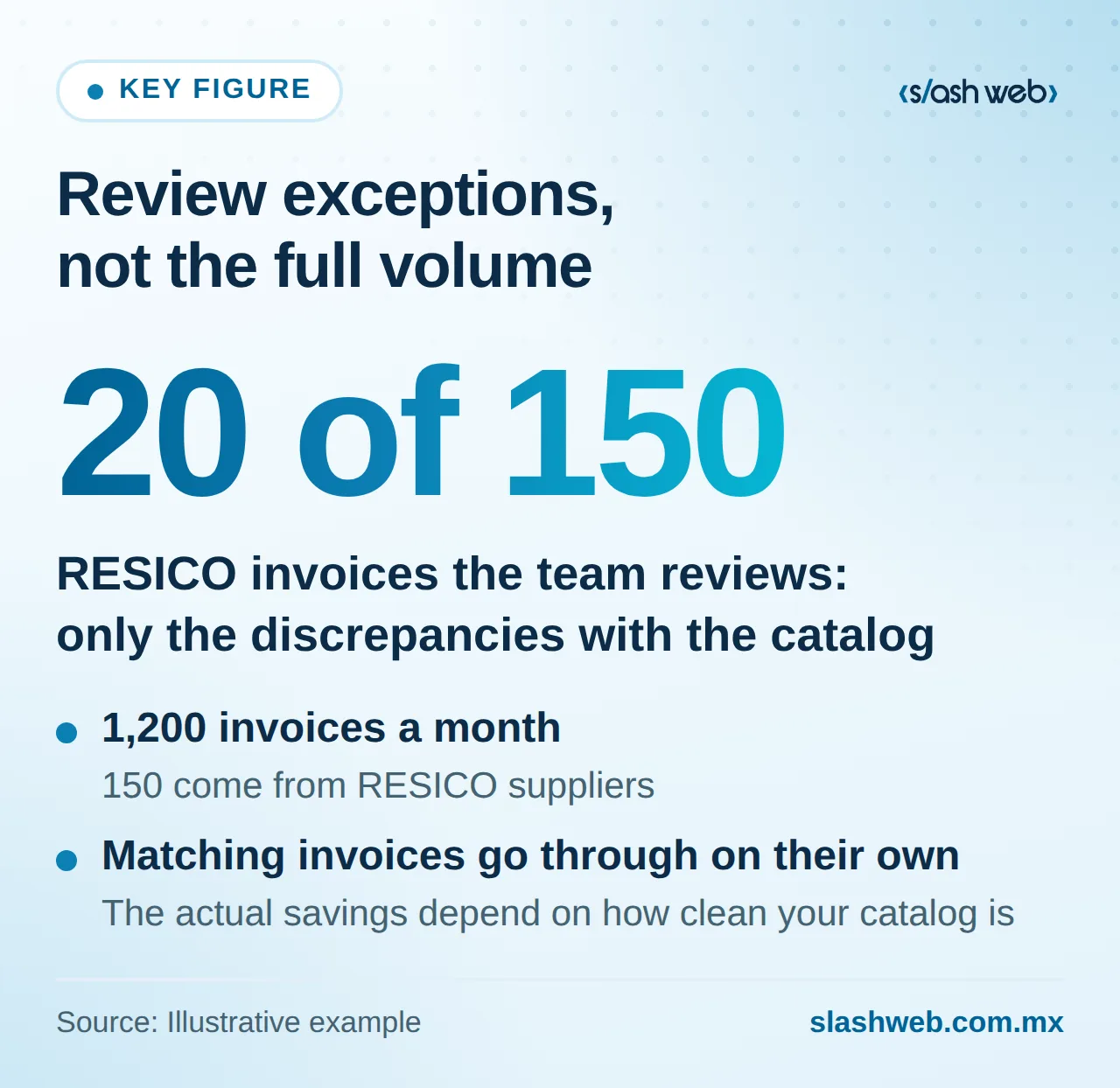
Illustrative example (hypothetical figures): a distributor receives 1,200 invoices a month, and 150 come from RESICO suppliers. With automatic validation, the ones that match the catalog go through on their own, and the team reviews only the discrepancies, say 20 instead of all 150. The actual savings depend on how clean your catalog is, but the principle is the same: review exceptions, not the full volume.
This workflow can be built with AI process automation connected to CFDI intake and your ERP.
Tax mailbox: alerts with an assigned owner
The risk with the tax mailbox is rarely technical: the problem is that nobody checks it. Set up the following:
- A named primary owner and a backup, not just "the tax department."
- Registered contact methods that reach those two people.
- A ticket or task for each notice, with a deadline and status.
- Escalation to leadership if a notice isn't handled within the internal deadline you define.
An AI agent can summarize the notice and send deadline reminders. The response to the SAT is prepared and signed by a person.
2027 payroll and budget: explain the variance with AI
The new employer contribution and the 46-hour workweek change labor costs, and leadership is going to ask why the 2027 budget is higher. An AI model connected to payroll results and your ERP can generate that explanation in plain language, line item by line item.
Illustrative example (hypothetical figures): a construction company budgets MXN $3.0 million in monthly payroll cost for 2027, versus MXN $2.8 million in 2026. The explanation breaks the MXN $200,000 difference into three parts: the higher employer contribution, additional on-site overtime due to the 46-hour workweek, and new hires. Each amount links back to the source calculation so finance can validate it.
What matters is the order: the payroll engine calculates, and AI integrated into your systems explains.
Step by step: configurable rules for the 2027 Miscelánea
Tax rules change frequently. In 2026, for example, the SAT added three new codes for CFDI cancellation. If every update requires touching code, every publication becomes an urgent project. To avoid that:
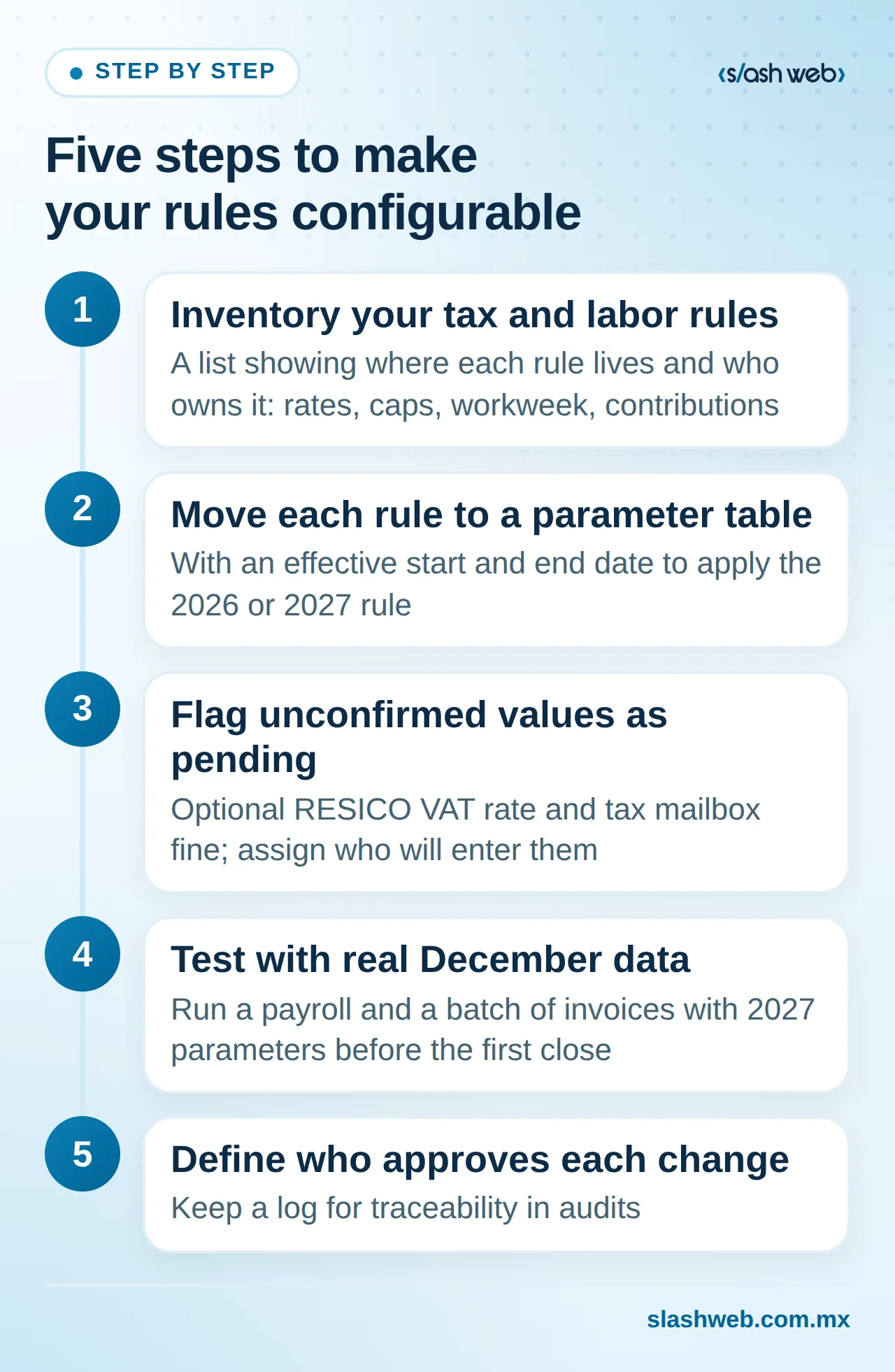
- Inventory the tax and labor rules that currently live in Excel or in your ERP's code (rates, caps, workweek, contributions). Result: a list showing where each rule lives and who owns it.
- Move each rule into a parameter table with an effective start and end date. Result: the system applies the 2026 or 2027 rule based on the document date.
- Flag as pending any unconfirmed values (the optional RESICO VAT rate, the tax mailbox fine, Miscelánea details) and assign who will enter them once they're published. Result: nobody makes up a placeholder value.
- Test with real December data in a test environment: run a payroll and a batch of invoices with 2027 parameters. Result: discrepancies caught before the first close.
- Define who approves each parameter change and keep a log. Result: traceability for audits.
If your ERP doesn't allow you to parameterize these rules, a custom software layer can centralize them without replacing the entire system.
Common mistakes and how to avoid them
- Waiting for the Miscelánea to get started. Build the parameter structure today and enter the values once they're published.
- Asking AI to calculate taxes or contributions. Calculations belong in an auditable rules engine; AI explains, classifies, and flags exceptions.
- Updating the supplier catalog only once. With the option to re-enter RESICO, a supplier's regime can change; validate it on every invoice, not just at onboarding.
- Leaving the tax mailbox as "everyone's job." Without a named owner and a backup, nobody checks it.
- Waiting until February to test payroll. The first payment at the new contribution rate is due February 17; run the simulation in January.
What to do this week
- Ask accounts payable for the list of RESICO suppliers and verify that your ERP has their tax regime up to date.
- Confirm who has access to the company's tax mailbox and which contact methods are registered, and name a backup.
- Ask payroll for a simulation of January's cost with the 46-hour workweek and the new employer contribution, even if it's in Excel, as a baseline for the 2027 budget.
Conclusion
Mexico's 2027 tax changes aren't just an issue for your accounting firm: they touch your supplier catalog, payroll engine, budget, and the way your company receives SAT notices. Companies that turn their rules into configurable parameters and automate repetitive validations will be able to absorb the 2027 Miscelánea with configuration changes, without emergency reprogramming.
At Slashweb, we'll review with you what to update in your ERP before January 1: where your rules live today, which validations are worth automating, and what should stay in your team's hands. Schedule a review with our team.
Frequently asked questions
Will my commercial ERP or payroll system update itself for 2027?
Commercial software vendors usually release updates to calculations and catalogs, but it's worth asking yours for the exact date and what it covers. What that update won't include is your data and internal rules: each supplier's regime, your shifts, and your budgets. Test the update in a separate environment before using it in production.
Is it safe to use payroll data with AI tools?
It can be if you limit what you share. To explain cost variances, aggregated data by department or line item is enough, without employee names or RFCs. Use business accounts with data protection terms and keep a record of what information is sent.
What should I do if a RESICO supplier invoices me with the wrong VAT rate?
The prudent move is not to post the invoice until you clear up the discrepancy with the supplier and, if appropriate, ask them to cancel it and issue a corrected CFDI. Your accountant should determine the tax treatment. The system just needs to make sure the invoice doesn't move forward without that review.
How long does it take to parameterize an ERP's tax rules?
It depends on whether your ERP already supports parameter tables or whether the rules are written directly into the code. In the first case, configuration and testing are usually enough; in the second, development is required. A short assessment of where each rule lives will give you a realistic estimate.
Slashweb
Want to apply this in your company?
Book a free call with a specialist and get a tailored proposal.