Photo Evidence and AI: Protect Your Photos After the NYT Ban
The New York Times asked its photographers not to use Photoshop 2027 because some AI features act without the user noticing. Here's what it means for your operation's photo evidence and how to protect it, step by step.
The New York Times asked its photographers not to use Photoshop 2027 because some of its features apply generative AI without the user noticing and could flag images as AI-generated in their metadata. If your company relies on photo evidence (proof of delivery, construction progress, insurance claims, or medical records), the lesson is straightforward: a software update can cast doubt on your photos even if no one deliberately tampered with them.
The underlying shift is that AI is no longer something you choose to adopt: it arrives with the update. An editor that yesterday only adjusted brightness can today recompose or expand an image and leave a trace of it in the file. Here you'll see what happened, which photos in your operation are most exposed, and how to protect them without depending on what your software vendor decides.
What happened between The New York Times and Photoshop 2027
PetaPixel reported on November 24, based on a report from The Verge, that the newspaper had asked its photographers to avoid the new version of Photoshop. The next day, a Times spokesperson confirmed it to Editor & Publisher.
According to B&T, Photoshop 2027's AI features include editing with written prompts, upscaling, and automatic recomposition. The newspaper's problem isn't that its photographers want to fake images, but that the tool intervenes without them deciding to and that the file ends up labeled as AI-generated. For a news outlet, that undermines its credibility; for a company, it undermines its ability to prove what happened.
Why your operation's photo evidence is at risk
Until recently, altering a photo required intent. Today, desktop editors, phone galleries, and online tools add AI features with every update. That opens up two distinct risks:
- The photo actually changes. AI upscaling can add details that weren't in the original shot, and recomposition can crop or extend the scene.
- The photo comes under suspicion. Even if the adjustment is minimal, an AI flag in the metadata gives the other party grounds to challenge it.
| Industry | What the photo proves | If it's challenged |
|---|---|---|
| Logistics | Delivery completed | Replacement or refund |
| Construction | Construction progress | Progress payment withheld |
| Insurance | Claim damage | Disputed claim |
| Healthcare | Patient progress | Medical record in question |
| Real estate | Property condition | Dispute over deposit or damages |
In every case, the photo is worth what it proves, not how sharp it looks.
How to protect photo evidence, step by step
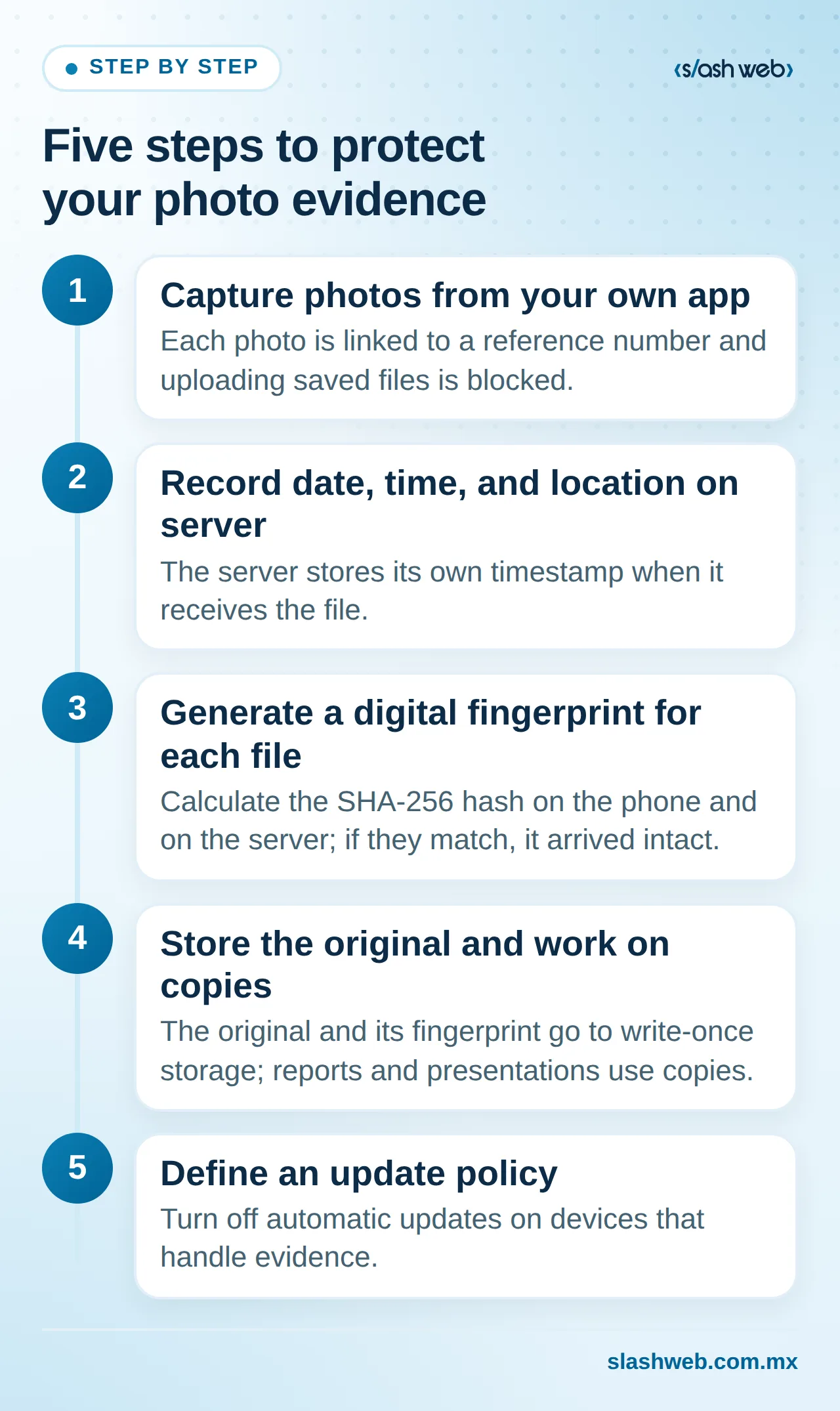
- Capture photos from your own app, not from the gallery. The camera opens inside the app, each image is linked to a reference number (tracking number, project, policy, patient, or property), and the option to upload saved files is blocked. Result: the photo originates within your process and never passes through an external editor.
- Record date, time, and location on the server. The app sends the GPS coordinates and the phone's time, but the server stores its own timestamp when it receives the file. If the photo was taken without signal, you keep both times: capture and sync. Result: a record no one can alter by changing the phone's clock.
- Generate a digital fingerprint for each file. Calculate a hash (for example, SHA-256) on the phone at capture and again on the server; if they match, the file arrived intact. Any change, even a single pixel, produces a different fingerprint. Result: you can prove that the photo you show today is the same one taken that day.
- Store the original in write-once storage and work on copies. Reports and presentations use copies; the original and its fingerprint stay untouched. If your counterparties distrust even your server, you can anchor the fingerprints in an external ledger with blockchain development. Result: a clear chain of custody.
- Define an update policy. Decide who approves each update, test new versions on a separate machine, review release notes for AI features, and turn off automatic updates on devices that handle evidence. Result: AI enters your operation when you decide it does.
Illustrative example: proof of delivery at a parcel carrier
The figures are hypothetical. A parcel carrier makes 1,000 deliveries a day, and 0.5% end in a "never received it" claim: 5 a day, about 150 a month. Today, the driver sends the photo via chat, the supervisor hunts for it among conversations, and the customer claims it's from another day or that it's been edited. Without a server timestamp or fingerprint, the company often ends up replacing the shipment.
With a capture app, the photo is linked to the tracking number, with server time, location, and fingerprint. If half of those claims are resolved with that evidence and each replacement costs MXN 500 on average, that's 75 replacements avoided, about MXN 37,500 a month, plus the review hours freed up. If you'd like to see how we approach a last-mile operation, check out our logistics and parcel delivery management app.
What a photo evidence app should include
It can be a new app or a module within the one your teams already use. Use this checklist to evaluate an app development proposal or to review the one you already have:
- Built-in camera, with no option to upload photos from the gallery
- Each photo linked to a reference number in your operation
- Capture time and server time stored separately
- GPS location with its accuracy level
- Digital fingerprint calculated on the phone and verified on the server
- Offline operation with later sync
- Immutable original and separate copies for editing
- Log of who viewed, downloaded, or shared each image
- No editing features within the app
Common mistakes with AI-altered photos and how to avoid them
- Trusting the file's metadata. EXIF data is easy to edit, and some apps strip it. Avoid this by recording date, location, and fingerprint on your server.
- Receiving evidence via chat or email. The photo loses context and you don't know where it's been. Avoid this by capturing inside the app, linked to the reference number.
- "Enhancing" the photo before archiving it. Brightening, enlarging, or cropping with an AI-powered editor can alter the content or leave a flag in the file. Avoid this by editing only copies.
- Leaving updates on automatic. That's how AI gets in without anyone approving it. Avoid this with the policy from step 5.
- Thinking the risk is limited to Photoshop. Phone galleries and online editors are adding AI too. Avoid this by including every tool in your inventory.
What to do this week
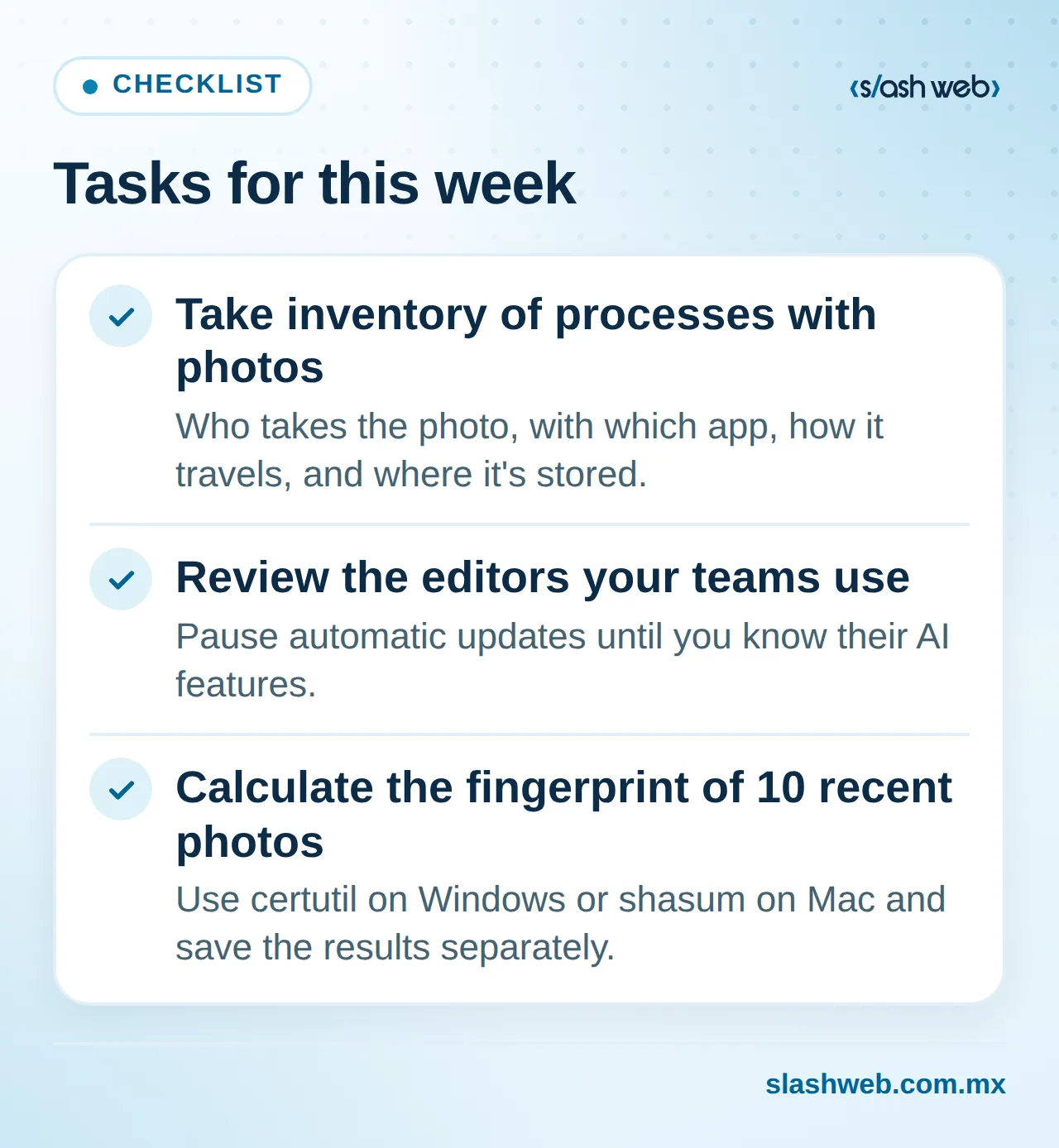
- Take inventory of the processes where a photo serves as proof: who takes it, with which app, how it travels, and where it's stored.
- Review the editors your teams use and pause automatic updates on those that handle evidence until you know their AI features.
- Calculate the fingerprint of 10 recent photos. On Windows use
certutil -hashfile foto.jpg SHA256and on Macshasum -a 256 foto.jpg; save the results in a separate file. It's a quick test to understand how verification works.
Conclusion: your photo evidence shouldn't depend on an update
The New York Times case offers a lesson that goes beyond journalism: AI is now arriving in work tools without asking permission, and your operation's photo evidence needs a process that doesn't depend on whatever software version someone installed. In-app capture, server-side records, per-file fingerprints, and update control are concrete, achievable measures, even for a small business.
At Slashweb, we build custom apps and systems for logistics, construction, healthcare, and professional services. If you'd like to review how to protect your operation's photos, talk to our team.
Frequently asked questions
Does a photo flagged as AI-generated stop being valid as evidence?
Not necessarily, but it loses weight: the other party can use that flag to question whether the image reflects what really happened. What matters most is being able to prove the file's origin and integrity. If your evidence could end up in a formal claim or litigation, validate your process with your legal team.
What about the photos I've already archived?
You can't retroactively prove they weren't altered before, but you can freeze their current state. Calculate the fingerprint of the entire archive, store that dated record in a separate location, and move the originals to read-only storage. From then on, any change will be detectable.
Are camera apps that stamp the date and location on the photo useful?
They help provide context, but the stamp is just text over the image, and anyone can generate or edit it. There's no server timestamp or digital fingerprint proving the file hasn't changed. Use them as a complement, not a substitute for a record controlled by your company.
How long does it take and how much does it cost to develop a photo evidence app?
It depends on the scope: a capture module within an existing app is not the same as a new app connected to your ERP or delivery system. The recommended approach is to start with one critical process, such as proof of delivery or construction progress, and expand later. With an assessment of your volumes and integrations, time and cost can be estimated.
Should I stop updating my software for good?
No. Updates also fix security flaws, so freezing them indefinitely creates another risk. The idea is to separate the devices that handle evidence, test each version before rolling it out, and explicitly decide which AI features get turned on.
Slashweb
Want to apply this in your company?
Book a free call with a specialist and get a tailored proposal.